
VI. Demo Project: The Client Brief
Project Scenario: “The Local Business Promotional Package”
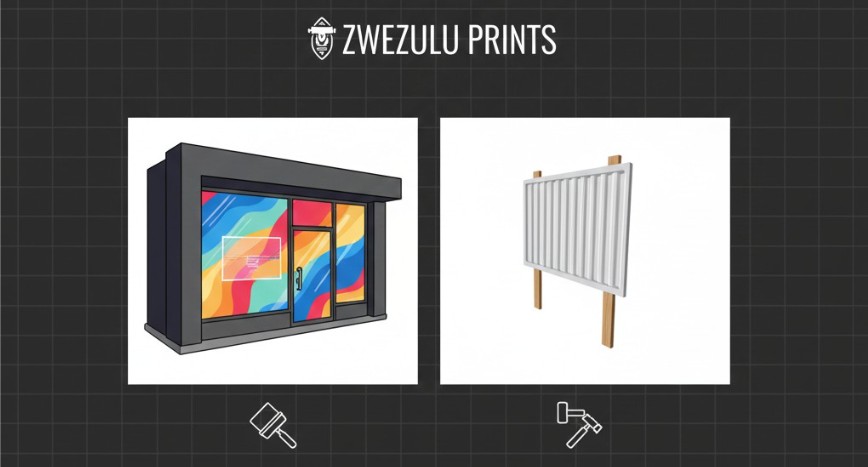
A local startup needs a small, essential promotional package to establish their brand identity. The student must act as the Production Operator and manage two small, common print jobs from file receipt to final finish, utilizing only generic adhesive vinyl.
Part 1: The Client Deliverables
The student must use the two design files.
The two jobs will use Generic White Vinyl and Optional Matte Lamination for protection.
Part 2: Required Student Actions (The Practical Assessment)
The student must outline and document their process, proving they can execute the full LFP workflow:
A. Setup and Pre-Press (Sections II & III Focus)
- Readiness Check: Document a successful Nozzle Check and verify all necessary machine components are clean (platen, wiper blade).
- Material Prep: Describe the steps to successfully load the single roll of Generic Intermediate Calendered Vinyl, emphasizing the straight feed.
- Profile Identification: State the generic ICC Profile (e.g., Generic Vinyl – Production Mode) to be used for both files.
B. RIP Processing and Optimization (InkRIP Focus)
- File Import & Check: Import both files into InkRIP.
- Nesting Challenge: Demonstrate how to Nest the two different jobs (A and B) onto the roll to minimize material waste.
- RIP & Output: Set the output options and perform the RIP function.
C. Production and Finishing (Sections IV & V Focus)
- Print Execution: Document the job sent to the machine and the monitoring checks performed.
- Post-Processing Sequence: Detail the correct finishing order for the entire job run:
- Lamination: Optionally laminate the printed run.
- Trimming: Trim the Storefront Decal and Temporary Signage to final size.
- Application Note: Write a short, simple installation note for the client explaining the “Dry Application Method” for the main storefront decal.
Submission Instructions:
Complete any write-ups, screenshots or videos then submit via email to the instructor at info@ambitious.co.za or use the Academy portal.
Keep up the practical skills!