Course Overview
–
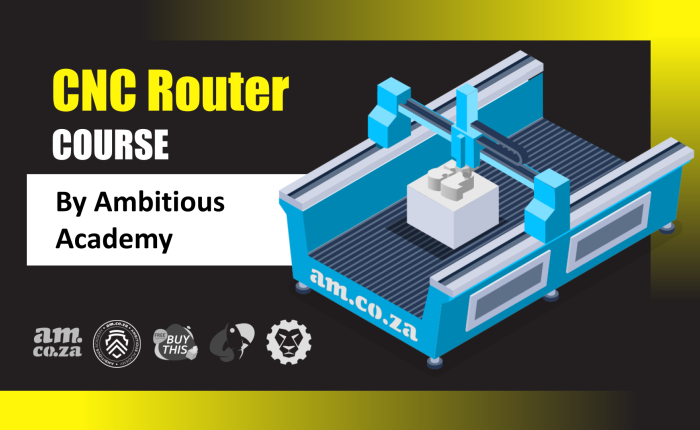
This comprehensive training course is designed to transform beginners into confident, job-ready CNC Router Specialists. CNC routing is a core manufacturing process used in signage, furniture production, cabinetry, prototyping, and custom fabrication.
–
This course provides a complete, industry-focused understanding of the CNC workflow – from digital design and toolpath creation to hands-on machine setup, material preparation, precision cutting, safety management, and long-term maintenance. Learners will gain practical experience by working directly on CNC routers, while also using leading software platforms including CorelDRAW with RouterCAM, Vectric Aspire, and Fusion 360.
–
By the end of the programme, students will be equipped with the technical, practical, and professional skills needed to operate CNC routers efficiently, produce consistent high-quality work, and contribute meaningfully in a commercial workshop environment.
–
What You’ll Learn
–
The curriculum is structured into seven progressive modules that combine theory, demonstrations, practical exercises, and assessments:
–
- CNC Industry & Fundamentals:
- Understand how CNC routing fits into modern manufacturing, signage, and production environments, including workflows, applications, and career opportunities.
- Machine Anatomy & Technical Systems:
- Develop knowledge of CNC hardware, including spindles, gantries, motors, vacuum tables, control systems, limit switches, and toolholding systems.
- Software & Digital Production Mastery:
- Learn to create accurate designs, generate efficient toolpaths, and export machine-ready files using CorelDRAW with RouterCAM, Vectric Aspire, and Fusion 360.
- Professional Machine Setup & Operation:
- Master material preparation, toolbit selection, axis zeroing, file loading, test runs, and live cutting procedures for reliable and repeatable results.
- Safety Management & Preventative Maintenance:
- Apply industry-standard safety practices, PPE usage, dust control, emergency procedures, and structured maintenance routines to maximise machine lifespan and operator safety.
- Practical Skills Development & Assessment:
- Complete guided practical tasks, real-world exercises, quizzes, and mini-projects designed to build confidence and workplace readiness.
–
Who This Course Is For
–
This course is designed for beginners who want to learn the basics of CNC machines and start building practical skills for real-world use. No previous experience is required.
–
- Newcomers to CNC & Manufacturing:
- Anyone who is new to CNC machines and wants to learn how they work, how to operate them safely, and how to complete basic jobs with confidence.
- Students & First-Time Learners:
- Learners who want hands-on, easy-to-understand training to prepare for entry-level roles in workshops, factories, and production environments.
- Creative & Technical Beginners:
- People interested in design, printing, or digital production who want to understand how computer files become physical products.
- Career Starters & Career Switchers:
- Individuals who want to gain practical skills to start a new career in CNC, fabrication, signage, or manufacturing.
–
Prerequisites
–
To gain maximum benefit from the course and complete the practical exercises, students should meet the following requirements:
–
- CNC Router & Materials:
- Access to a functional CNC router is highly recommended for completing the practical assignments. Access to basic materials such as MDF, plywood, or acrylic is also beneficial for hands-on training.
- Computer Literacy:
- A basic familiarity with using computers, managing files, and navigating design and CAM software interfaces is essential.
- CAD and CAM software.
–
Course Content
–
- Introduction to CNC Routing, Industry Applications, and Workshop Practices
- Identification and Function of CNC Machine Components and Systems
- Design and CAM Software Training using CorelDRAW with RouterCAM, Vectric Aspire, and Fusion 360
- Machine Setup, Material Preparation, Toolbit Installation, and Cutting Operations
- Workplace Safety Procedures, Preventative Maintenance, and Basic Troubleshooting
- Final Practical Assessment and Skills Evaluation